Archive for the ‘WebSphere Portal’ Category
WebSphere Portal Beta 8 – OpenID
The first thing I did, after launching my browser and pointing at the new portal page, was to access the login page. Kinda obvious, I know but that’s where the obvious stops. I was immediately struck by an alternative logon input.

According to my understanding of the documentation, I should not need to provide any additional configuration for the OpenID associated with my Google account to work. That is, I should be able to incorporate my Google login into WebSphere Portal using the features exposed in the ‘Sign Up” interface.
After clicking ‘Sign up’ I noticed two new buttons on the profile page. I clicked Google and when I did the browser was redirected to a Google login. Once I logged into Google I was presented with an option to confirm that I wished to sign into my portal using the Google account.
I was not sure what was supposed to happen but I believed that some of the profile details would have been filled in for me on the portal’s sign up page. This is not true. After my initial attempts on my portal I went to demolotus.com and repeated the process. In both cases I, after I logged into my Google account, I filled in the required profile details and submitted the registration. In the case of demolotus.com I clicked the Google button and was logged into the portal. In contrast when I attempted this on my portal I received an error message saying, in effect, that the ID requested was not available.
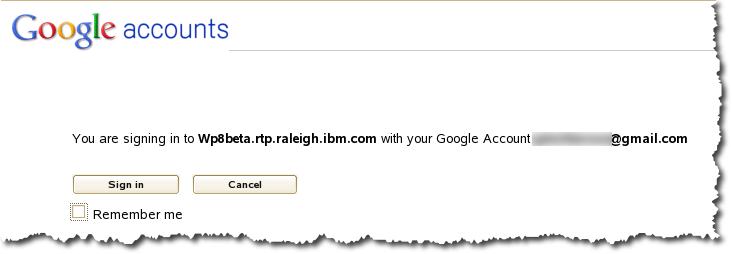
I haven’t had time to investigate farther but will do so soon. While I am disappointed it didn’t work as I expected, I am encouraged by the introduction of this feature as it can simplify management of user accounts in a public facing portal. What I will be interested in learning is how this might be facilitated on a request basis as opposed to the ‘open ended’ sign up basis.
WebSphere Portal Beta 8 – Start Up
Last month IBM released Beta 1 of WebSphere Portal 8. Like a number of others I immediately downloaded it and like almost as many, it sat on my disk until last week. First of all, if you want to download the beta you can do it easily from https://www14.software.ibm.com/iwm/web/cc/earlyprograms/lotus/portalopenbeta/
Once the files had a chance to ferment on my disk, I expanded them as instructed in the accompanying readme file. The instructions in that file are very helpful and the process of expanding and launching the beta was relatively painless.
When I followed the guide and configured the IP address configuration I supplied a name and DNS domain of my own choosing. When I completed the task and started the portal it did not properly start. I won’t pretend to have been surprised. Since the guide did not explicitly state “what” I should name the machine I assumed I could use any name I liked. I was wrong bu in my own defense, I based this mistaken understanding on my experience with the AWS based developer’s solutions from IBM. In those experiences the software install script is executed as part of the provisioning process. Not so with the beta download. Note: If you want to avoid my mistake be SURE to name your machine wp8beta in the rtp.raleigh.ibm.com domain.
Other than needing to blow away my first instance and repeat the process of expanding the files, the experience proved to be very satisfying.
Next time I will write about my first impression.
 Taking Notez - Island Pond Consulting